Test module connection
This page explains how to test a module context connection.
Test module connection
You can check whether the module connection is working by clicking Test on the module row in Module Contexts (next to Edit and Delete).
-
On the “test module” row, click Test.
-
If the Roles URL is unreachable, the UI shows a failure toast and marks CONNECTION as Failed. Example failure: Module “test module” test failed — Module ‘test module’ is registered, but its roles endpoint responded with HTTP 404. Check rolesUrl and module routing.
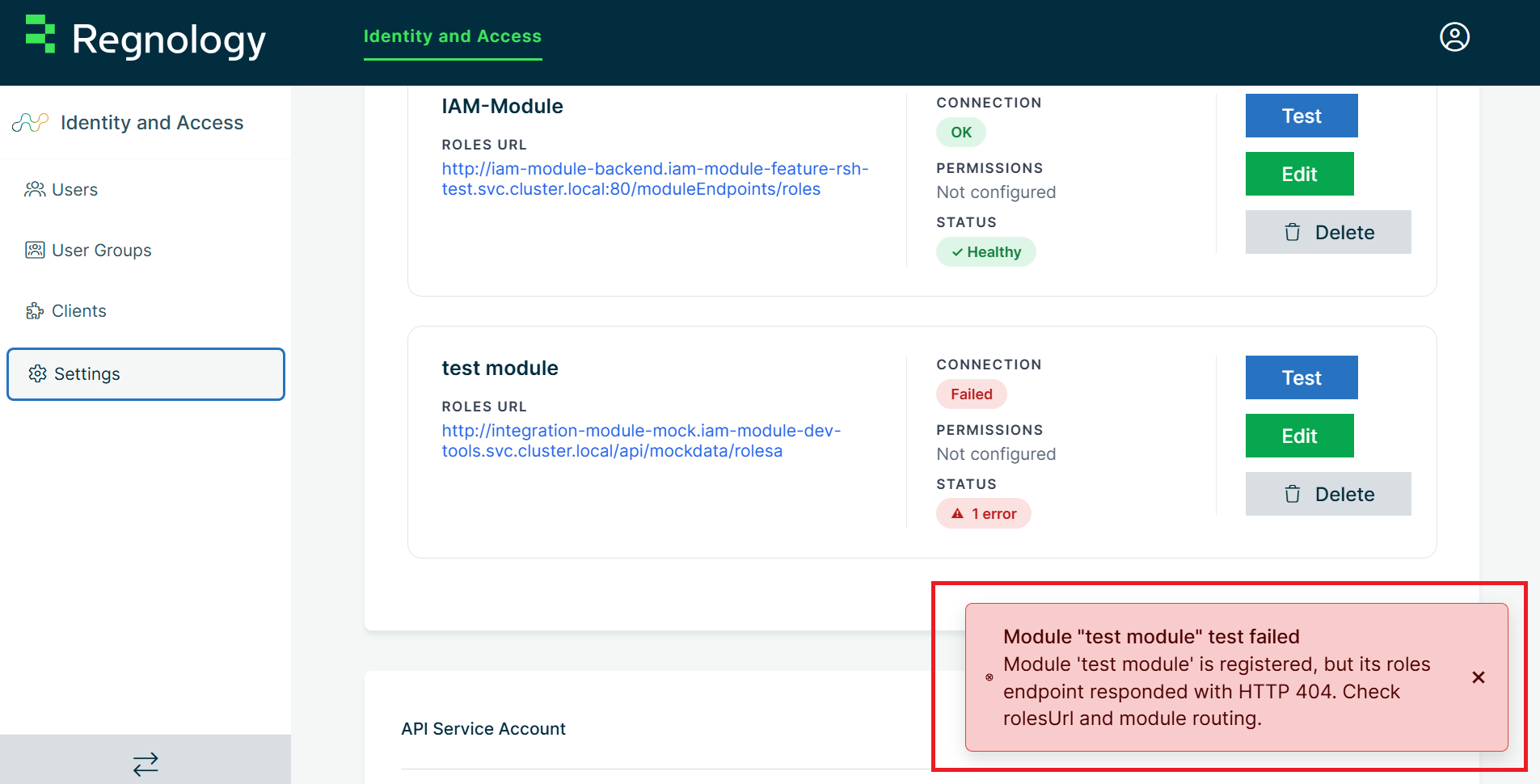
Figure 10. Test failure (HTTP 404) for updated Roles URL
-
After correcting Roles URL to a working endpoint and saving, click Test again.
-
Success message: Module “test module” roles endpoint responded successfully. CONNECTION shows OK and STATUS shows Healthy.
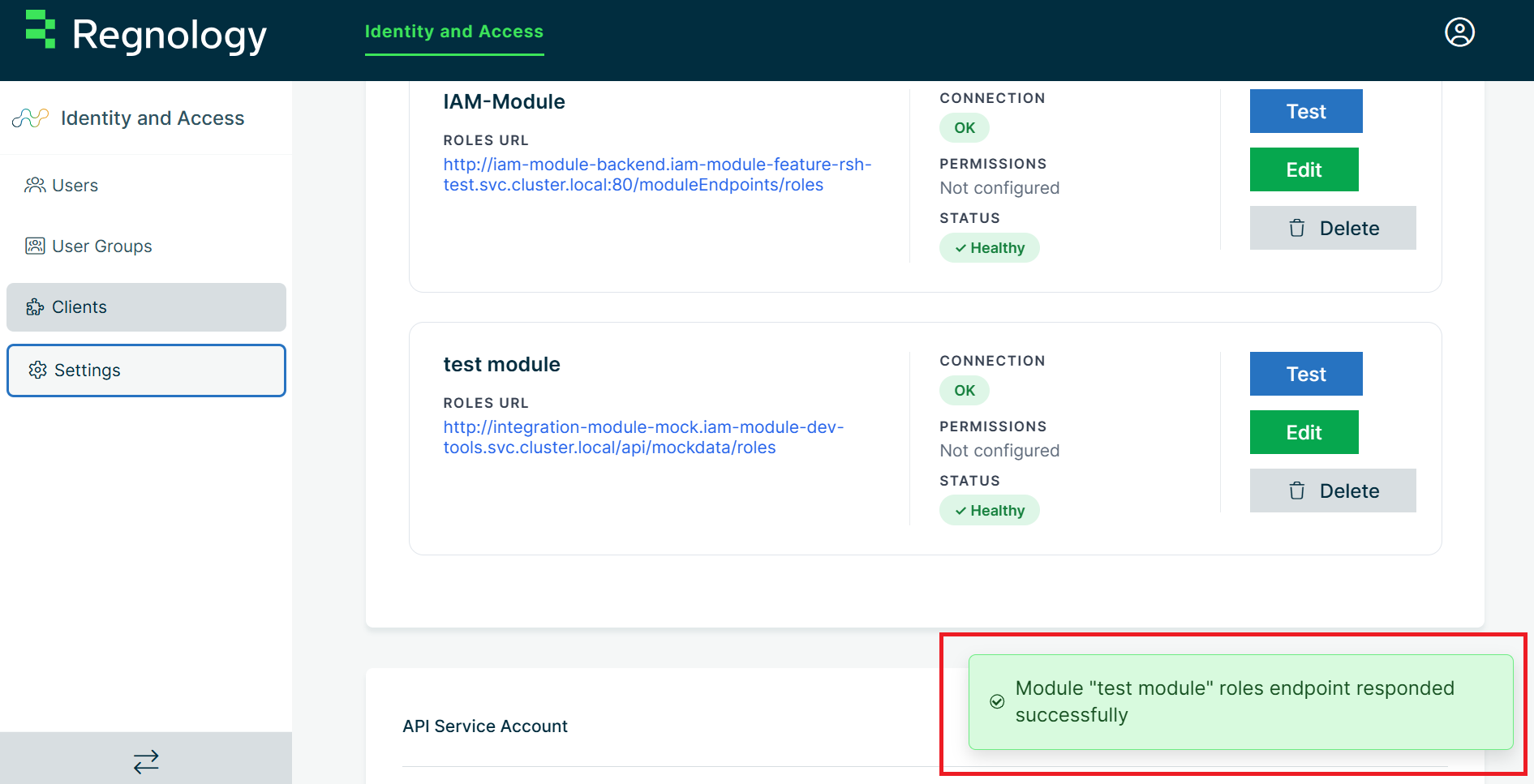
Figure 11. Test success — CONNECTION OK / STATUS Healthy