Edit profile information
This page explains how to update profile information such as a phone number.
-
Click Edit.
-
The form fields become editable.
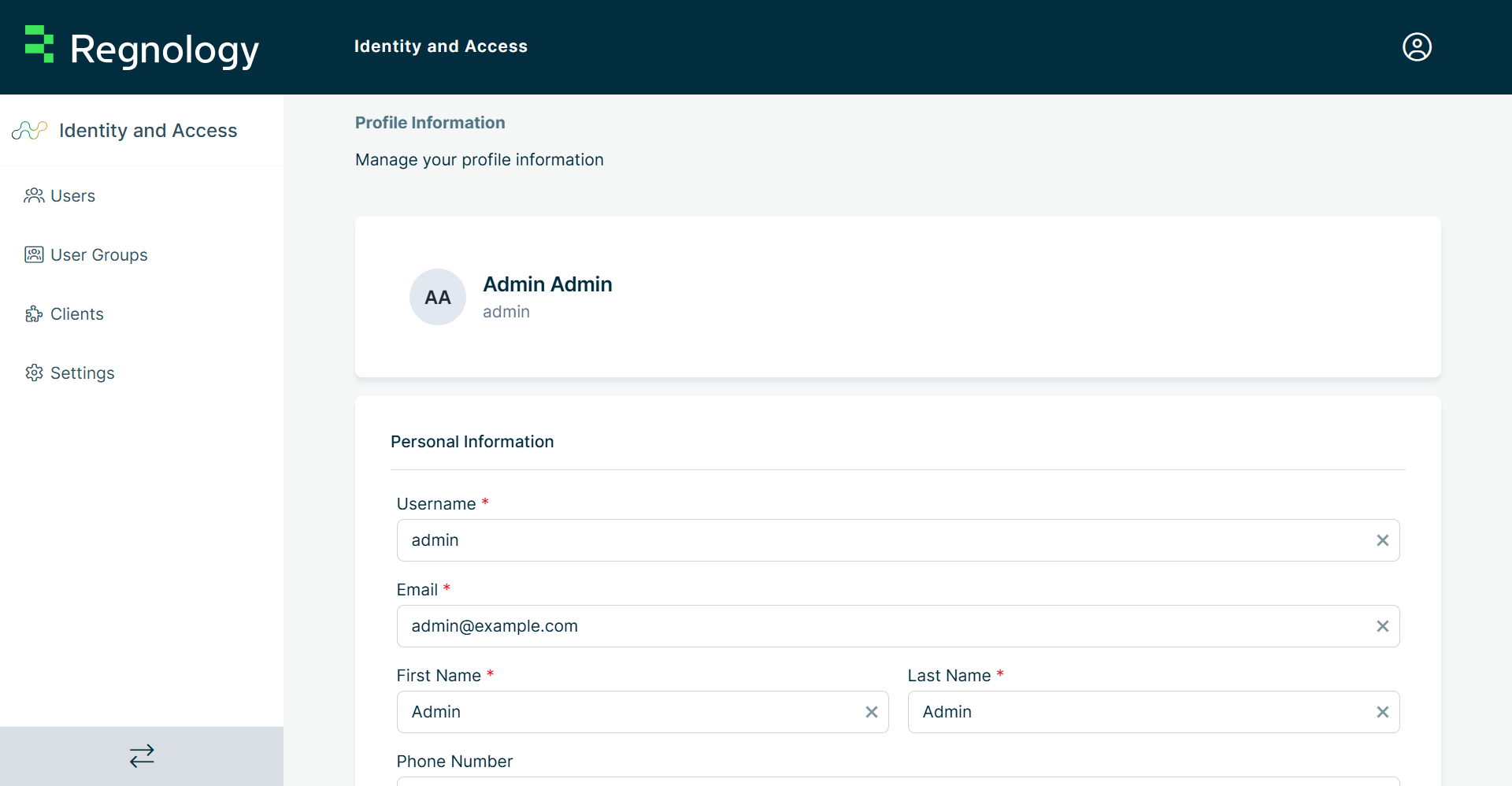
Figure 3. Profile edit form
-
Enter an invalid phone number (example: abc), then click Save.
-
Failure message toast appears.
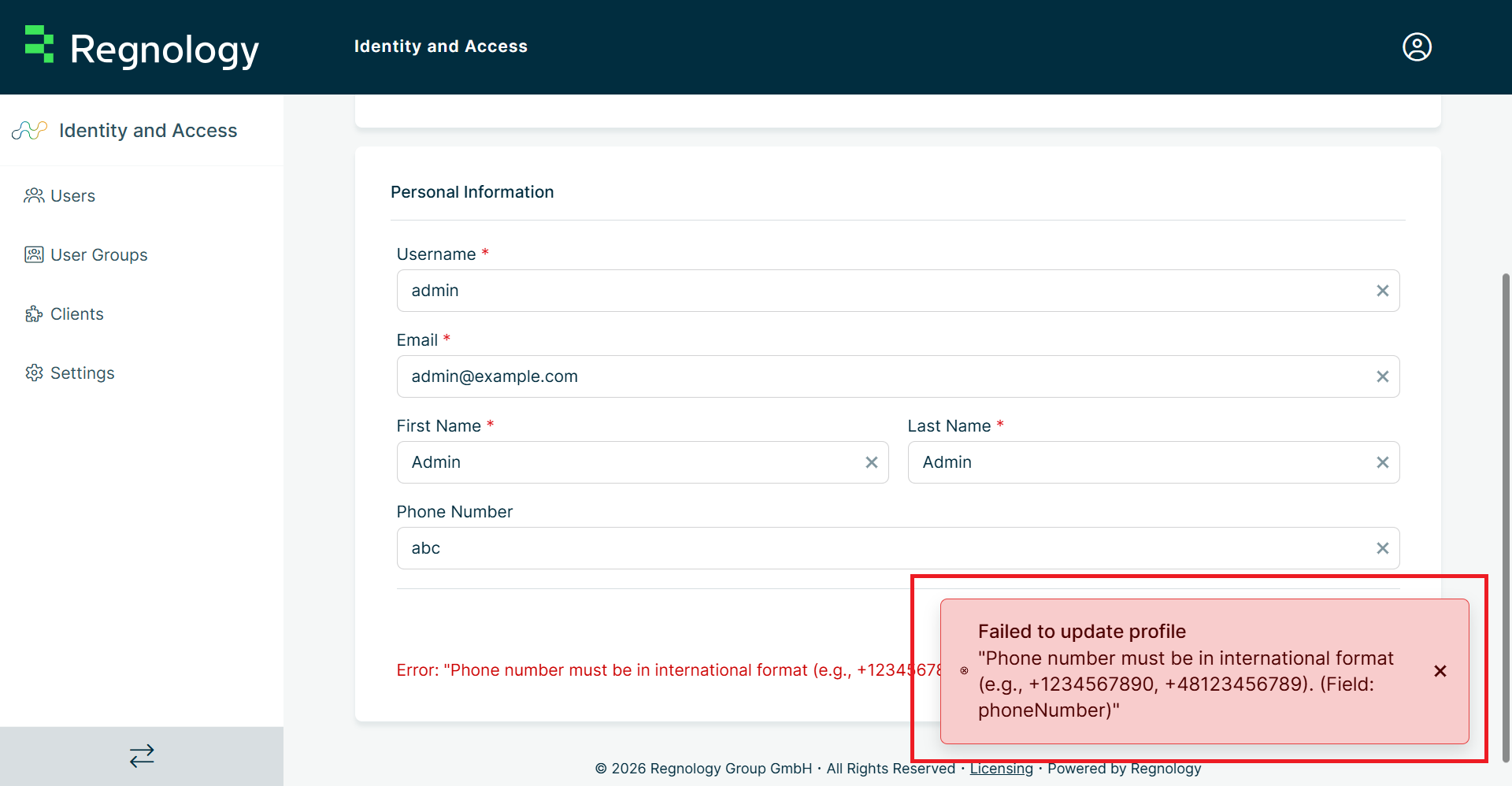
Figure 4. Profile phone number validation failure
-
Enter a valid phone number in international format (example: +491701112233).
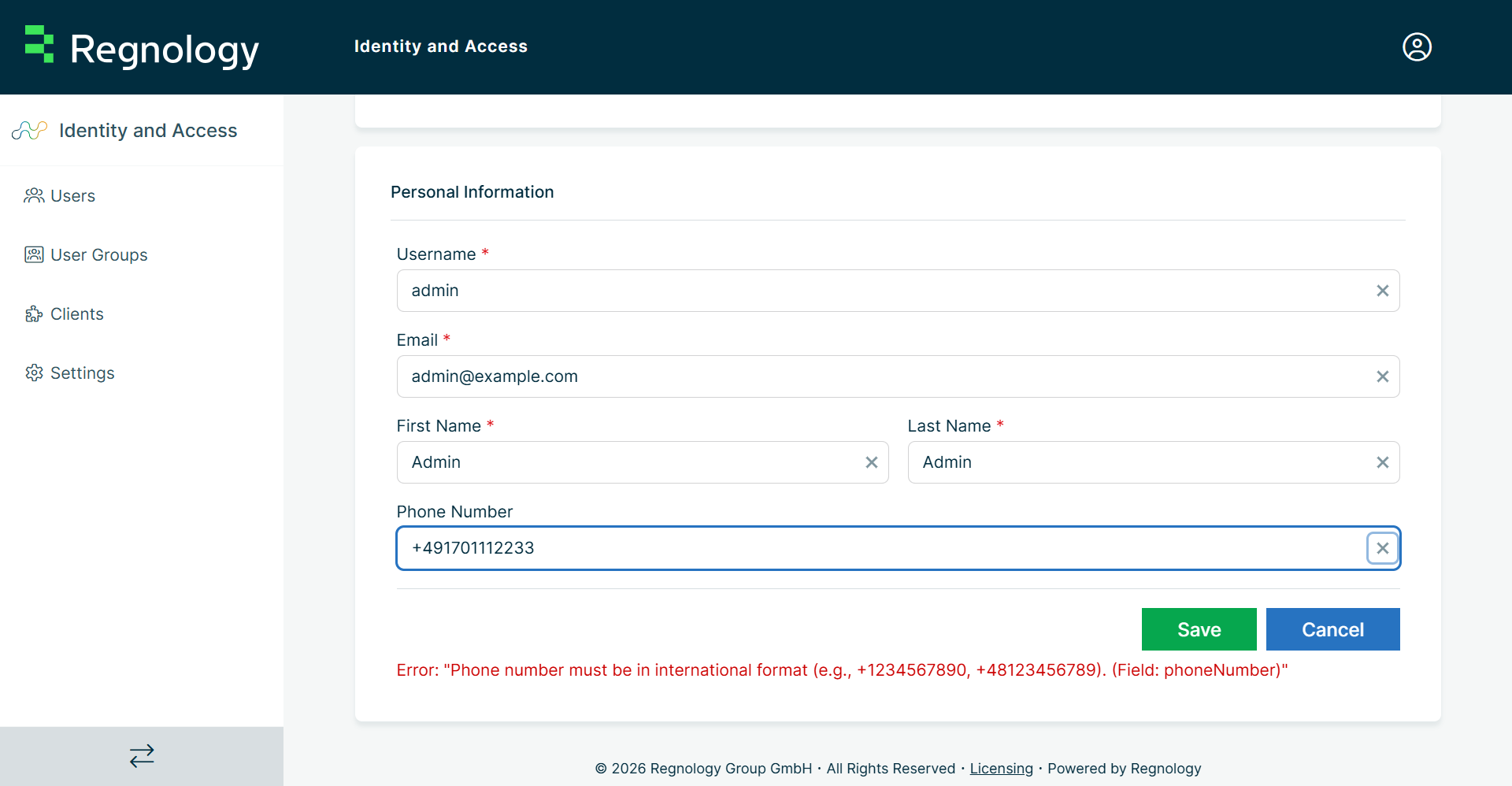
Figure 5. Profile phone number ready to save
-
Click Save.
-
Success message: Profile updated
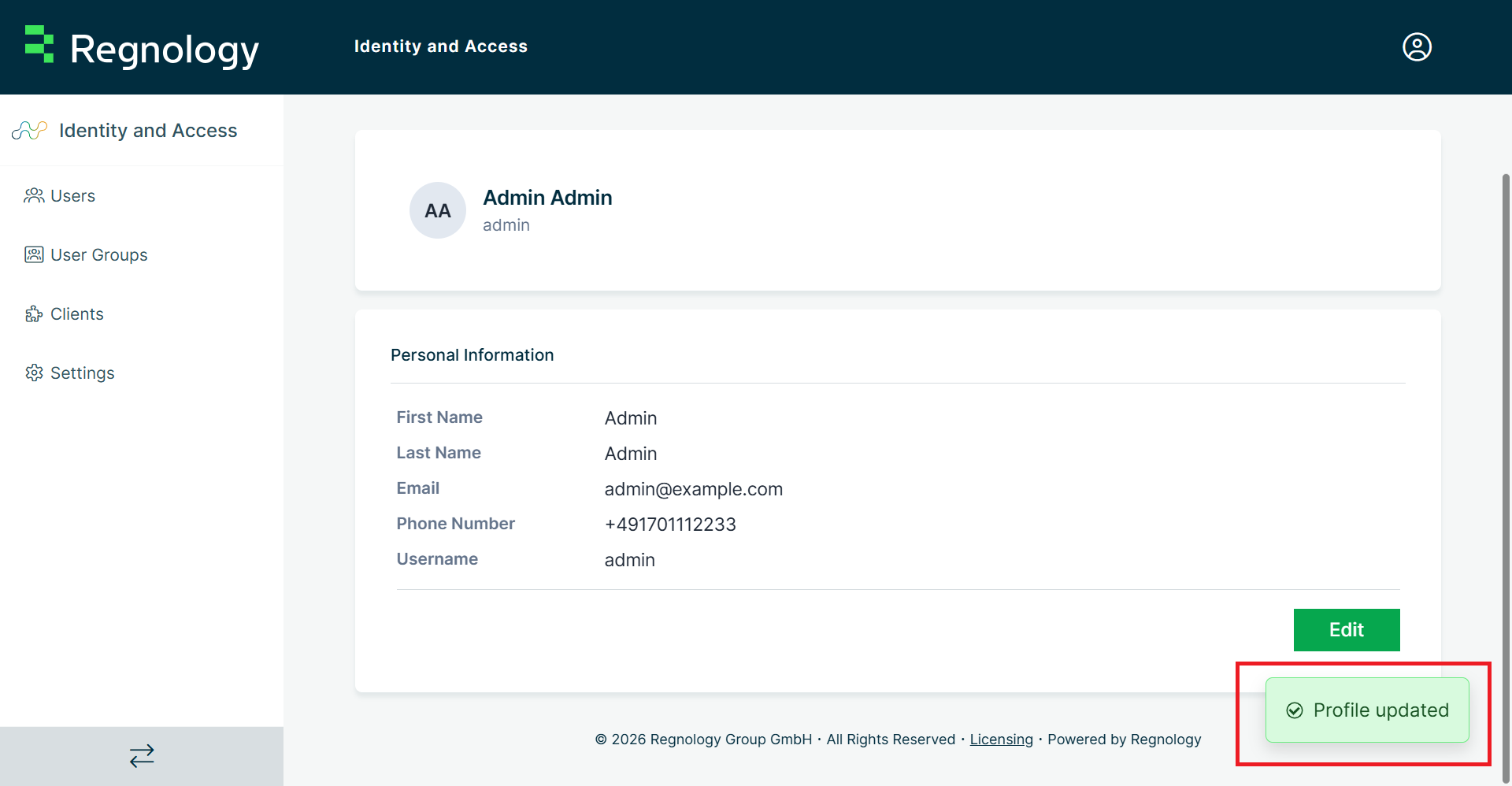
Figure 6. Success message after updating profile