Test global context connections
This page explains how to test the Global Entities and Global Entity Groups connections.
Test Global Entities connection
-
On the Global Entities card, click Test.
-
If the Context URL is unreachable, the UI shows a failure toast and marks CONNECTION as Failed.
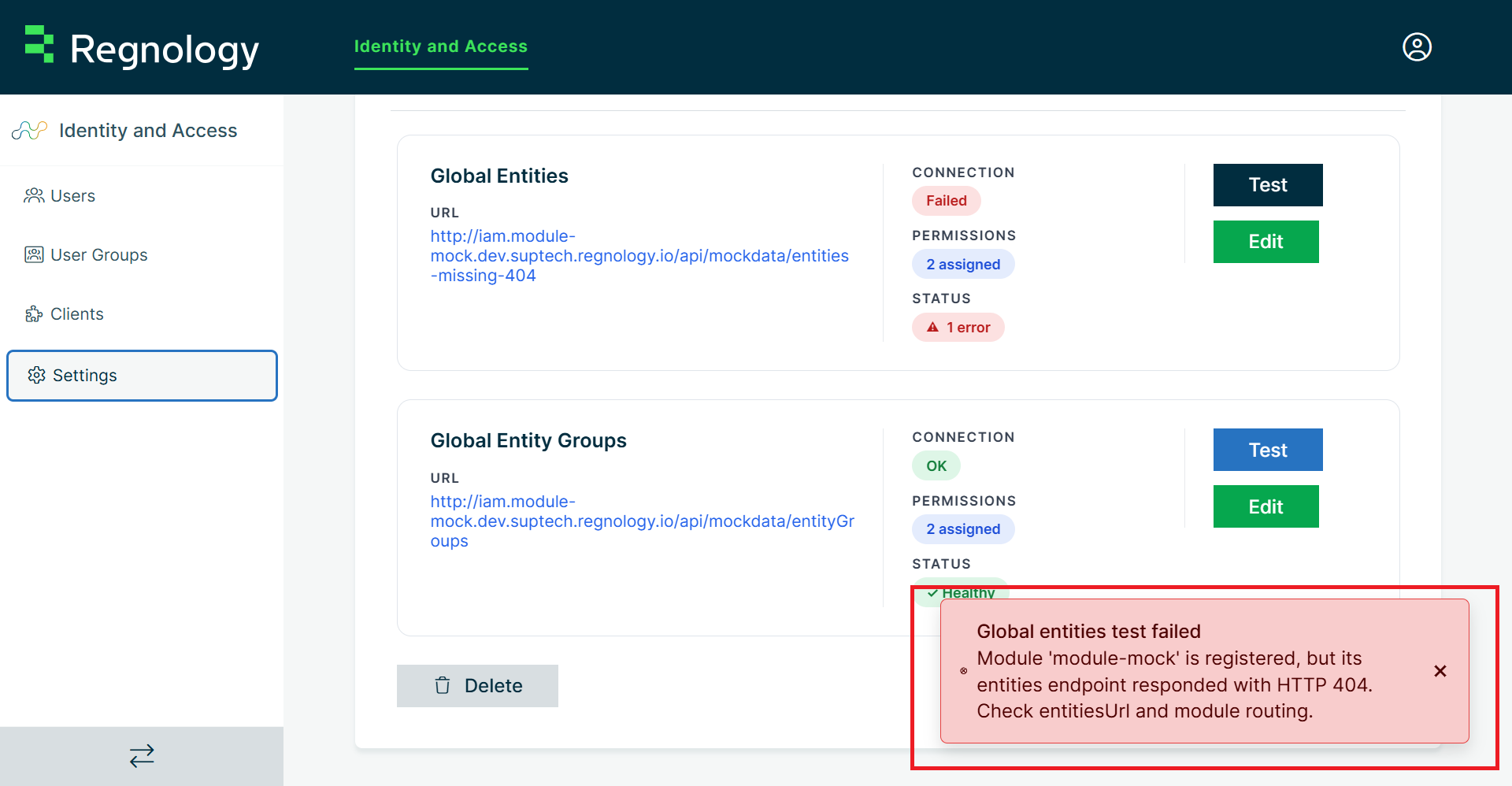
Figure 25. Global Entities test failure (HTTP 404)
-
After correcting Context URL and saving, click Test again.
-
Success message: Global entities endpoint responded successfully. CONNECTION shows OK and STATUS shows Healthy.
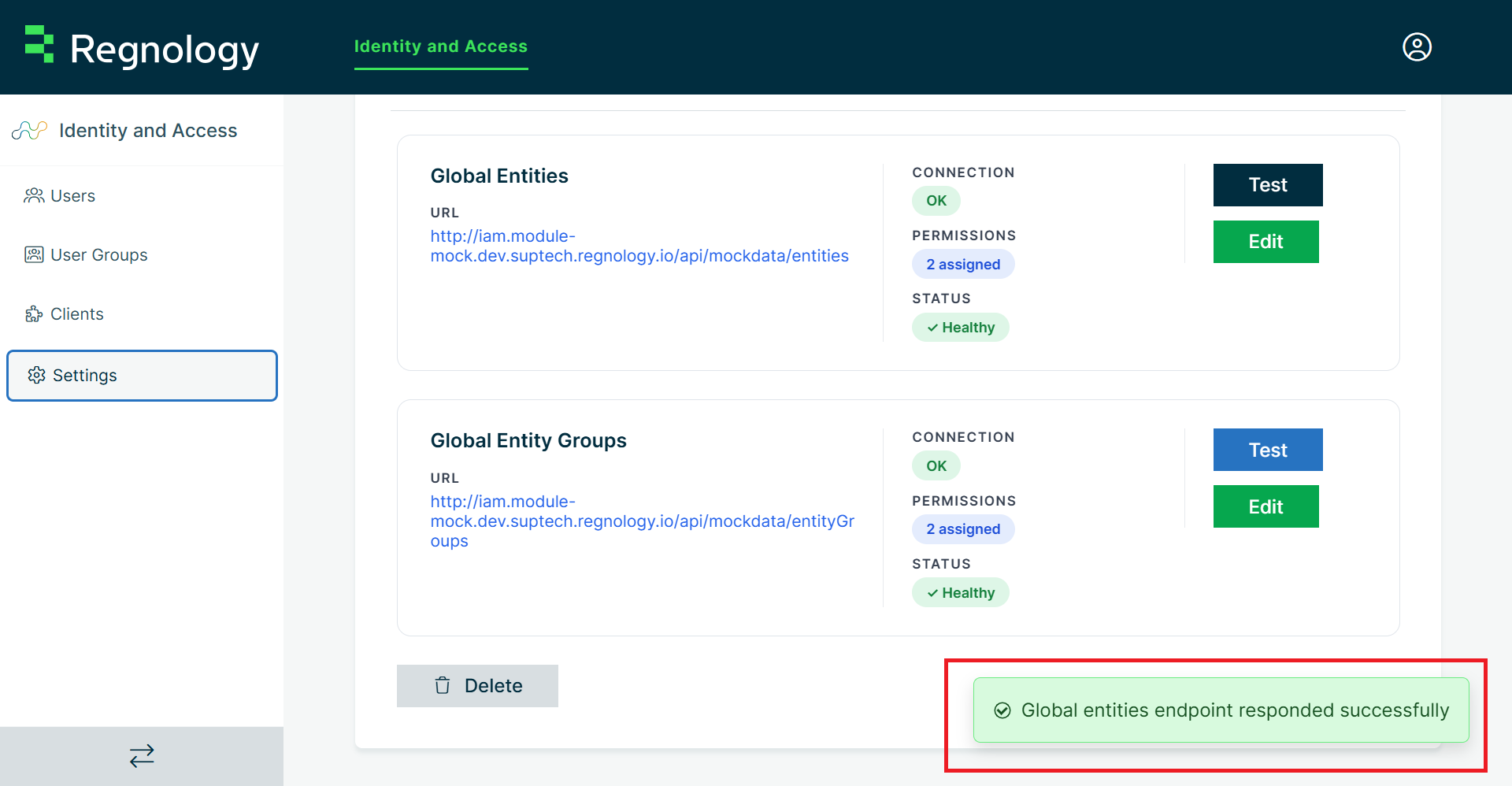
Figure 26. Global Entities test success — CONNECTION OK / STATUS Healthy
Test Global Entity Groups connection
-
On the Global Entity Groups card, click Test.
-
If the Context URL is unreachable, the UI shows a failure toast and marks CONNECTION as Failed.
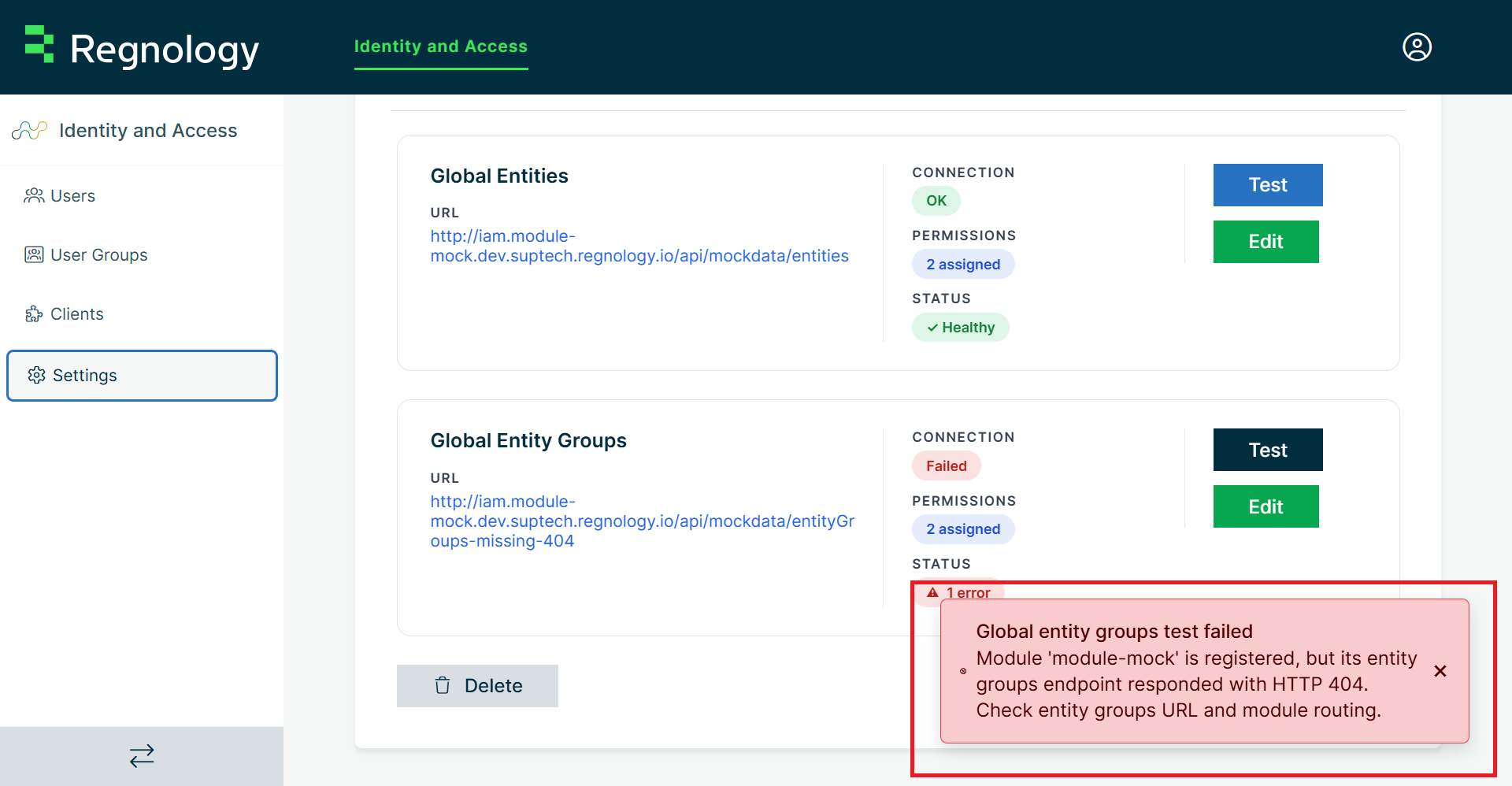
Figure 27. Global Entity Groups test failure (HTTP 404)
-
After correcting Context URL and saving, click Test again.
-
Success message: Global entity groups endpoint responded successfully. CONNECTION shows OK and STATUS shows Healthy.
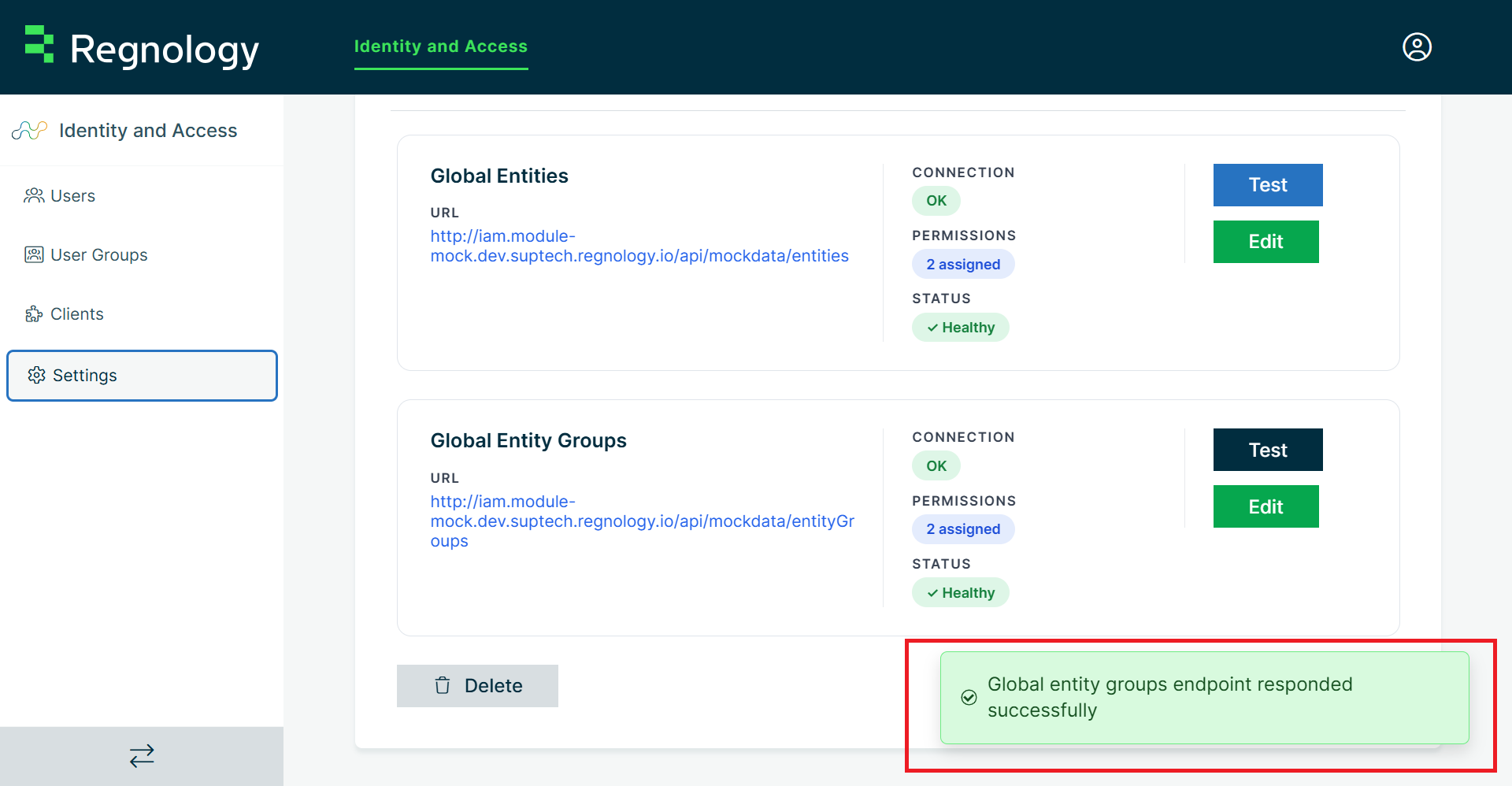
Figure 28. Global Entity Groups test success — CONNECTION OK / STATUS Healthy